Displaying report 1-1 of 1.
Reports until 20:17, Tuesday 05 December 2023
testbedAI General
nikhil - posted 20:17, Tuesday 05 December 2023 (11421)
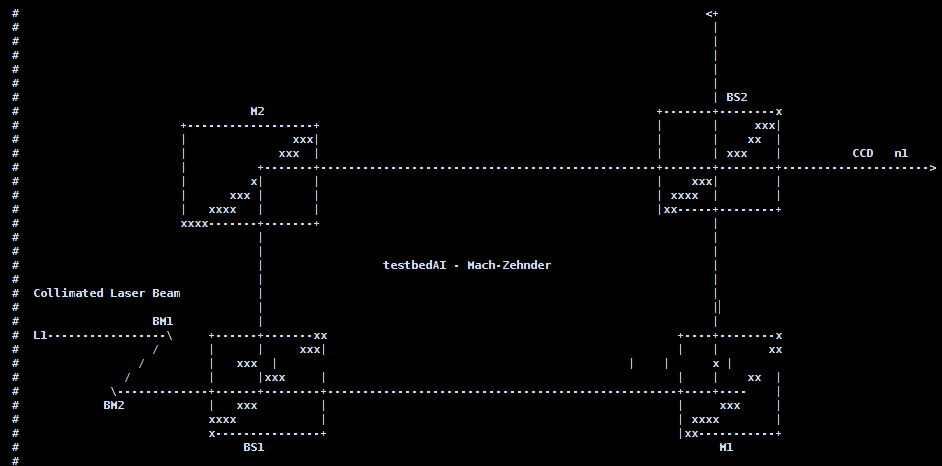
Finesse3 simulator for a mis-aligned Mach-Zehnder

[Nikhil, Kevin]

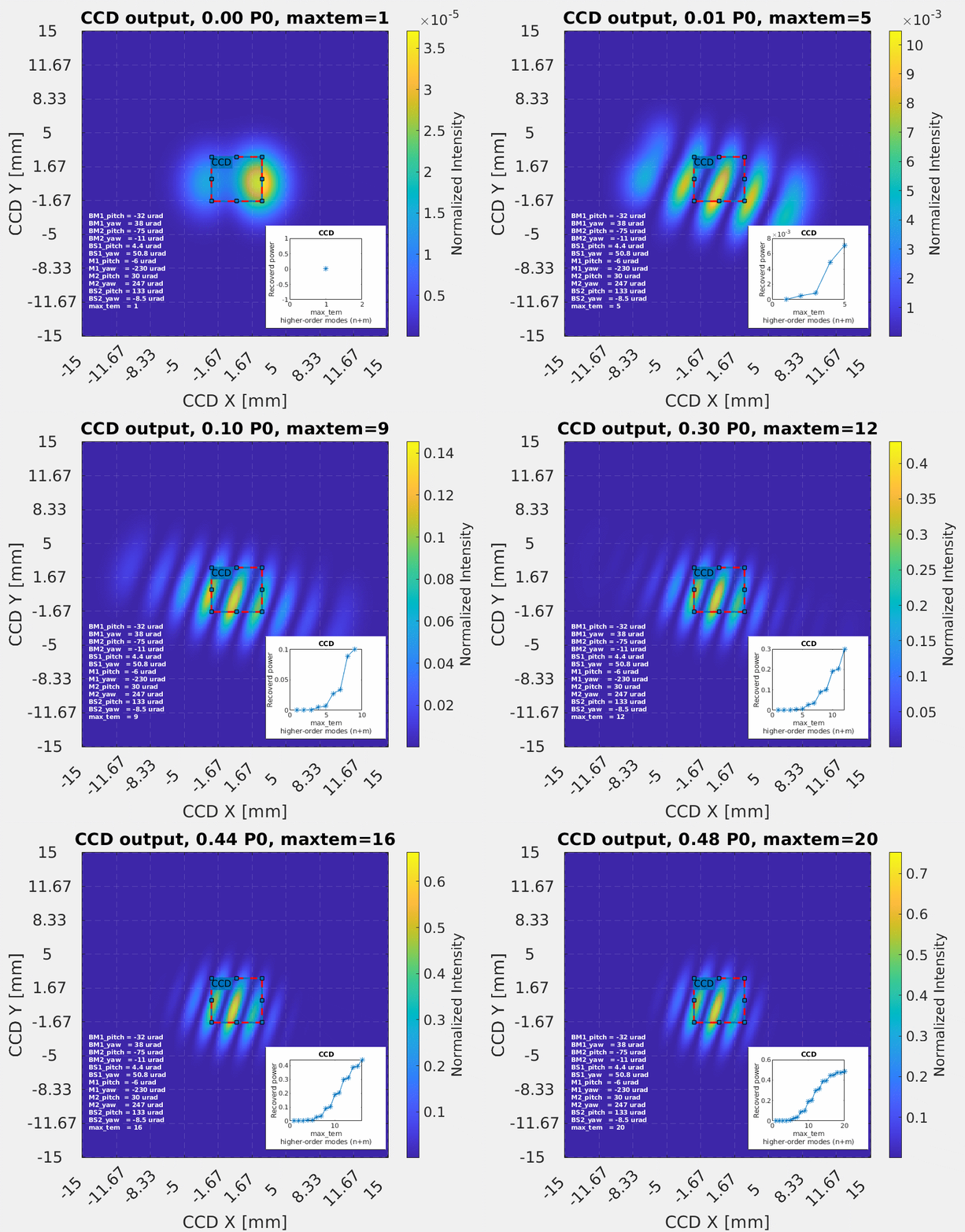
Finesse3 has a more intuitive syntax than Finesse2 and includes features like API support, beam propagation, and more. In our case, we wanted our beam to be deliberately off-axis and wanted to match the testbedAI setup as closely as possible. Since finesse uses paraxial approximation, we need to include higher-order modes (n+m, represented as max_tem) to capture what we see in real. The number of modes required depends on the waist position and relative distances of various components. We cannot capture the total beam energy with low max_tem, while larger values slow down the simulation quite a bit. Setting the higher-order modes to a value of 20 provides reasonable results, as can be seen from the attached plot. This simulator will be used to augment the experience buffer of the RL agent that is currently getting trained for testbedAI.
 

# Finesse3 Install Intructions(with jupyter kernel)
conda activate base
conda install nb_conda_kernels
conda create -n finesse python=3.10
conda activate finesse
conda install ipykernel
conda activate base
pip install --upgrade nbconvert
conda activate finesse
conda install -c conda-forge finesse jupyter
conda activate base
jupyter notebook
# then change kernel to finesse inside the notebook (check top right corner)
 
It is also easy to execute (minimal overhead) Finesse3 from MATLAB (ex: r2023b) via pyrun through InProcess code execution. In case someone is interested, the initial bugs can be resolved as given below.
% Resolve GLIBCXX error
REF: https://www.mathworks.com/matlabcentral/answers/1934285-why-do-i-receive-a-glibcxx-not-found-or-unable-to-resolve-the-name-error-when-using-a-python-mod
 
% FIX finesse3 scipy libstdc++ loc
 first get finesse libstdc++ location using ldd
 via
 ldd /home/mitligo/miniconda3/envs/finesse/lib/python3.10/site-packages/scipy/optimize/_highs/_highs_wrapper.cpython-310-x86_64-linux-gnu.so
libstdc++.so.6 => /home/mitligo/miniconda3/envs/finesse/lib/python3.10/site-packages/scipy/optimize/_highs/../../../../../libstdc++.so.6
 then do (or add to ~/.bashrc file & source)
export LD_PRELOAD=/home/mitligo/miniconda3/envs/finesse/lib/python3.10/site-packages/scipy/optimize/_highs/../../../../../libstdc++.so.6:$LD_PRELOAD
Reopen matlab & run the python script via pyrun("finesse3 code")
 
% FIX h5py python-matlab issue (tested on Ubuntu 20)
Ref: https://www.mathworks.com/matlabcentral/answers/327193-calling-python-module-from-matlab-causes-segmentation-fault-in-h5py
open matlab (after the above fix) , then do
 
finally load the right pyenv via inprocess execution.
Images attached to this report
Non-image files attached to this report
Displaying report 1-1 of 1.