We currently use acA720-290gm basler Ace cameras to analyze the Mach-Zehnder output. These are Power over Ethernet (PoE) cameras hence require an additional (netgear) network switch.
The connection is done as follows:
- (1) Primary ethernet cable to netgear switch ,
- (2) from netgear use one ethernet (use CAT-6) and connect to Basler cam,
- (3) another cable from netgear to cymac/windows machine
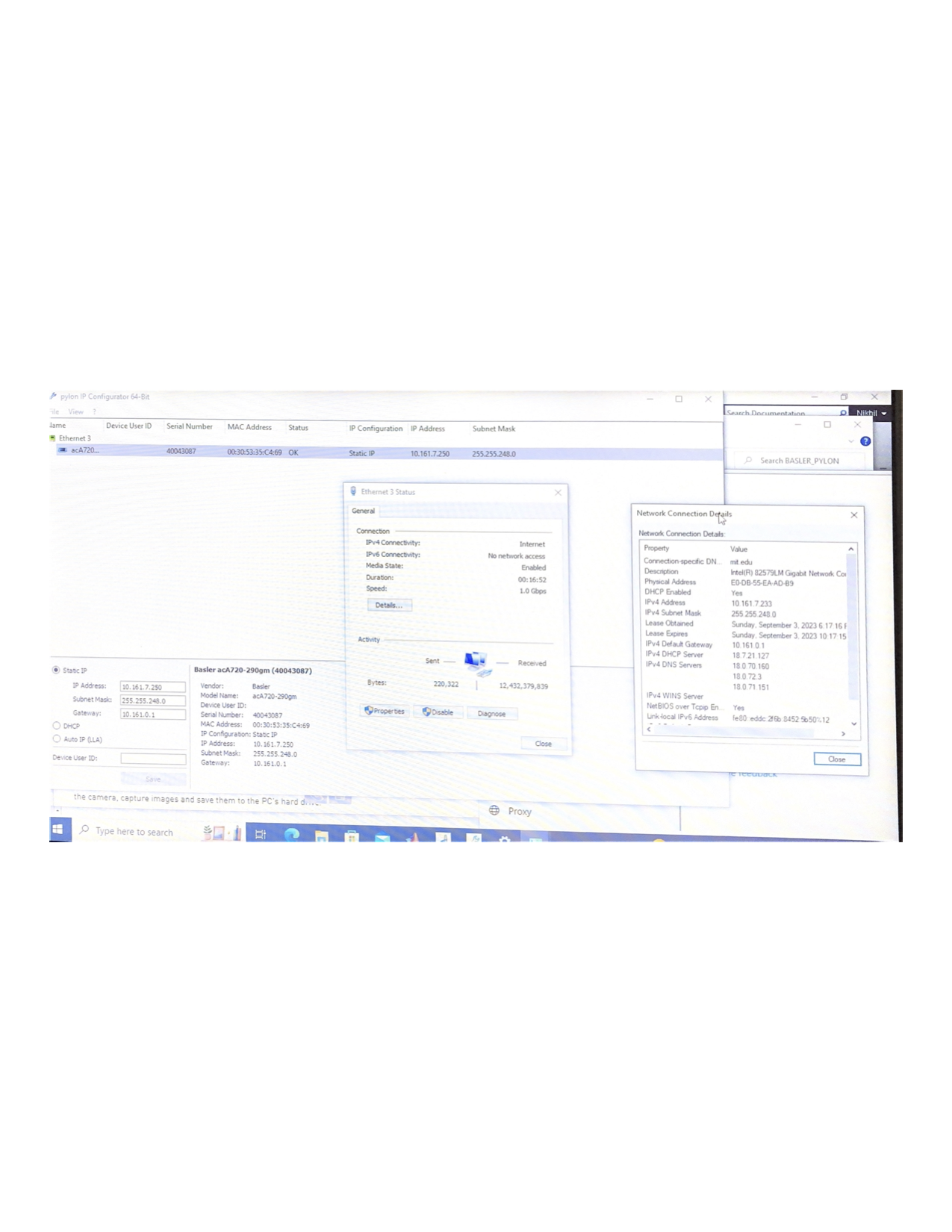
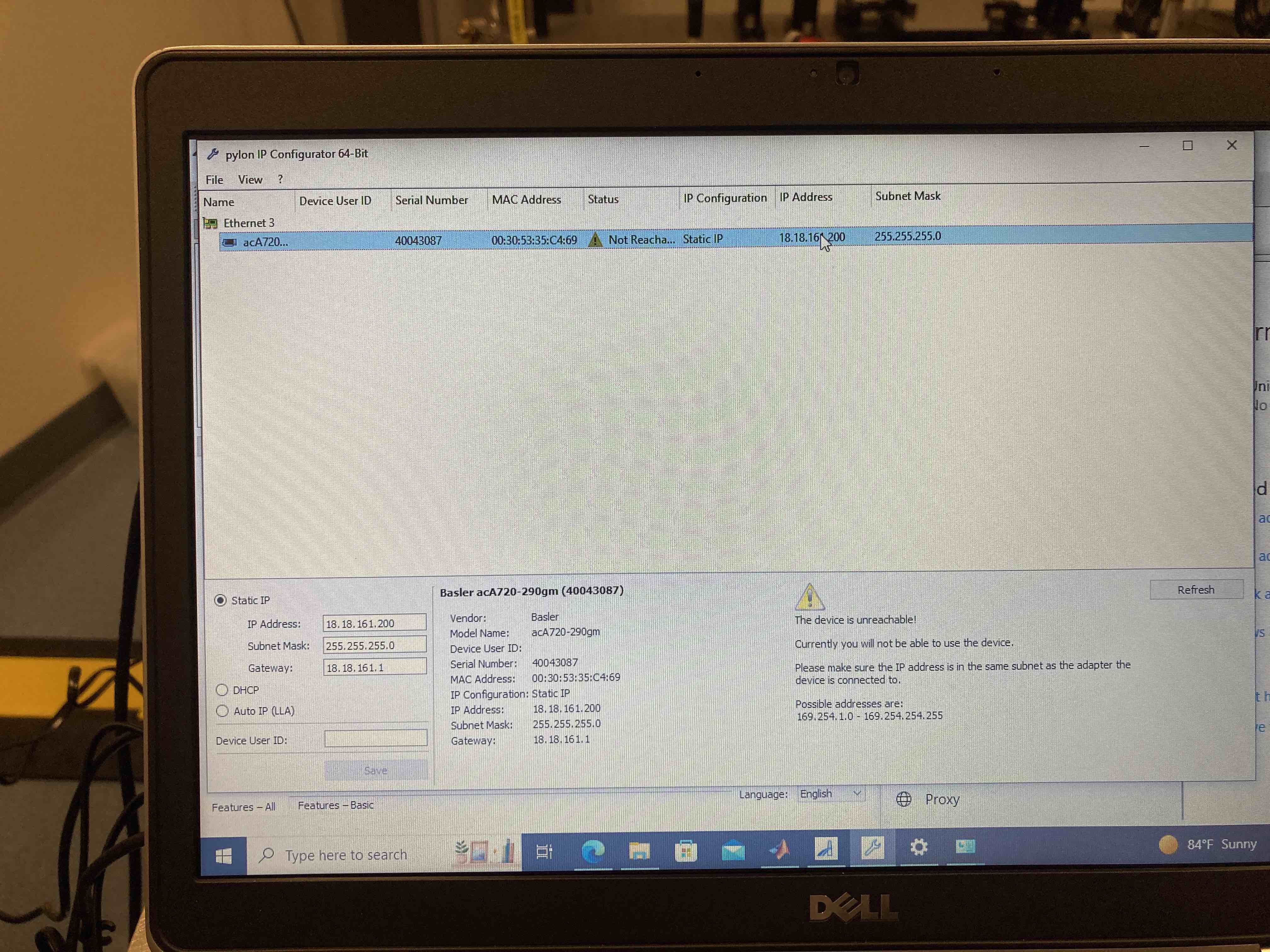
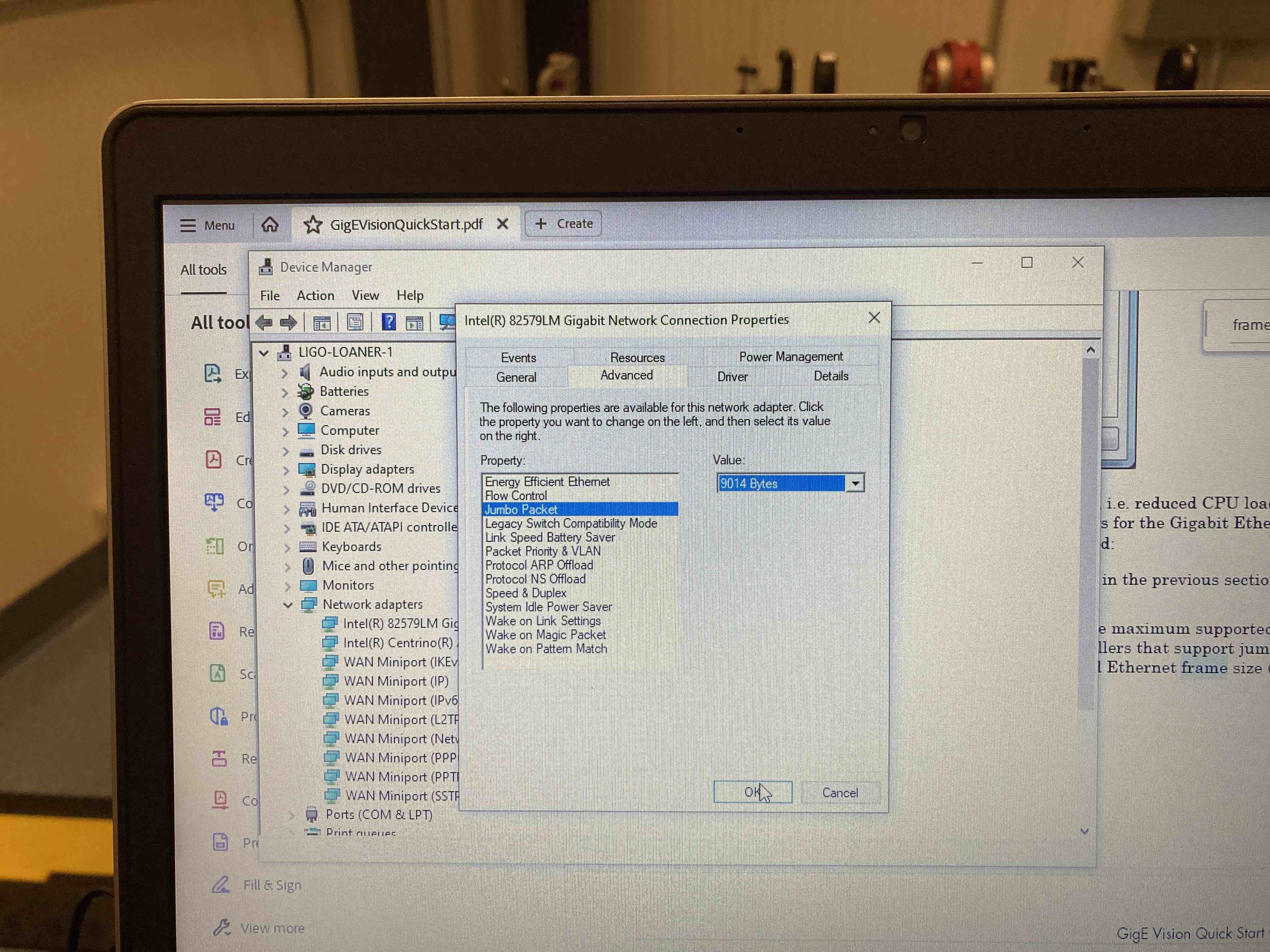
I used Pylon 6.3.0 software to do the initial configuration. The easiest way to set a static ip address for the camera is by using the ipconfigurator app found in /path-to-pylon/bin/ . I scanned the mit.edu network for unused ip address. Both the PCI express network card of the host machine and the camera should be on the same subnet. I initially noticied frame drops, this was resolved by modifying gige network adapter jumbo packet size to minimize such frame drops. Check screenshots for more instructions.
These cameras support both gigE & genTL standards. I set it to genTL was it provides finer control & better performace. PixelType enumeration is set to Mono12Packed. Technically we can go upto 300 frames per second (unnecessary). So I set it to 25 FPS with manual triggering and to the lowest possible exposure time of 20 milliseconds.
I found the following GigEVisionQuickStart.pdf quite helpful. For more details instructions, see Joe B's dcc doc: https://dcc.ligo.org/LIGO-T1300202